

Final Around AI Review
An interview assistant tool that helps you to prepare for and excel at interviews using AI mock interviews and a live interview copilot.
Key Features
Interview Copilot: Real-time transcription and answer prompting during live calls.
AI Mock Interviews: Practice sessions with role-specific personas and feedback.
Resume/Job description Integration: Answers are tailored to your actual work history and the job description.
Coding Copilot: Real-time assistance for technical assessments and algorithm challenges.
Resume and Cover Letter Builder: AI-optimized documents designed to pass ATS filters.
Pricing:
- Free Plan: Limited, but with a 3-day money-back guarantee (no live copilot).
- Premium: $300 quarterly
Real-time Assistance: Yes (Core feature)
Best For: Mid-career professionals in tech, finance, and consulting who struggle with interview anxiety and can’t properly articulate themselves as a result.
If you often reach the interview stage of your job search but never receive your offer letter, then you may need to work on your interviewing skills.
A huge part of getting a job depends on how you impress your interviewer. This is why you need a tool that helps you prepare for your interviews, provides live coaching, and gives you feedback on how each interview went.
With an interview assistant tool, you increase your acceptance rate to almost 90%. Final Round AI is one of such tools, and in this review, you’ll learn how the tool works, how much it costs, what users are saying, and who it specifically caters to.
How Does Final Round AI Work?
Here’s a breakdown of how Final Round AI works, from account creation to a live interview session.
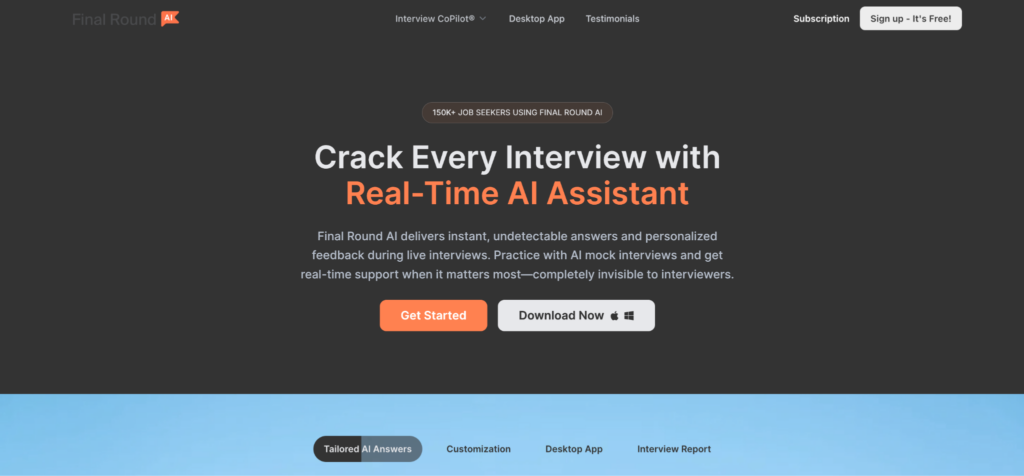
Step 1: Create your account
Head to the website and click the Sign up button in the top-right corner of the homepage. You can sign up using Google or your email. The process takes about 30 seconds.
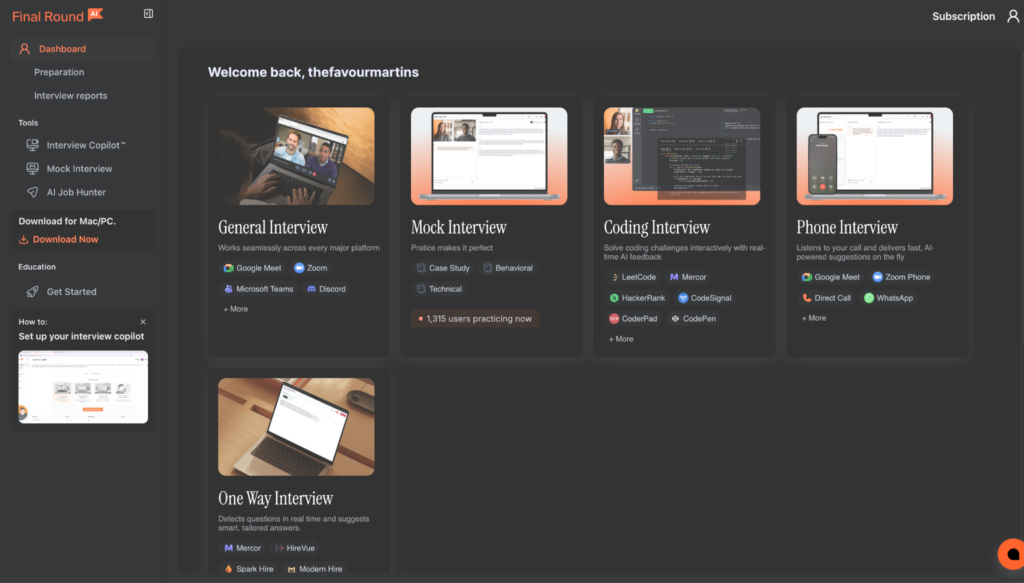
Step 2: Land on the dashboard and choose your tool
Once inside, you’re greeted by a clean dashboard with a left-hand sidebar. From here, you can navigate to the Interview Copilot, Mock Interview, Resume Builder, or Auto-Apply tools. It’s well-organized and easy to get your bearings.

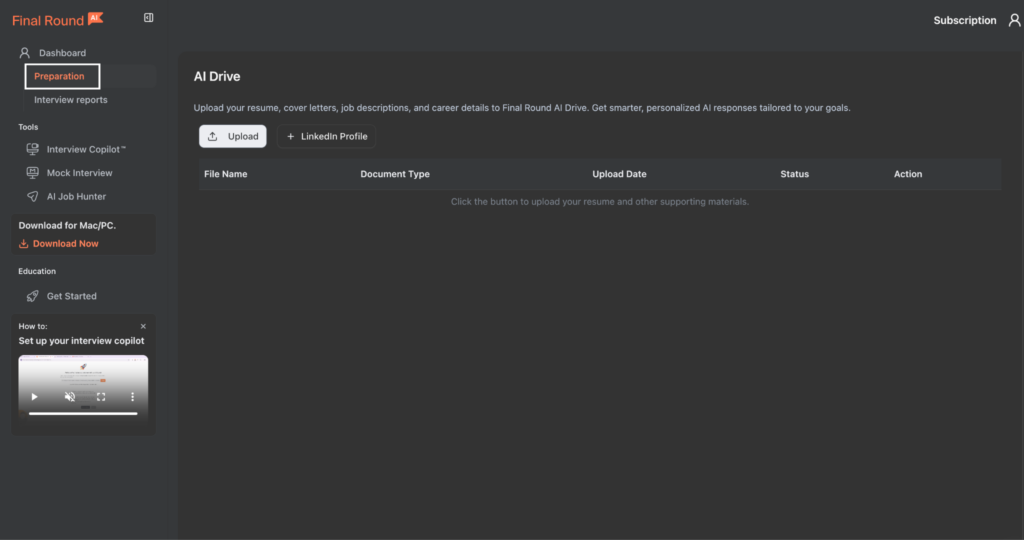
Step 3: Upload your resume and set your role
Before launching any session, upload your resume and LinkedIn profile. This is the foundation the AI builds on as it pulls the suggestions for live or mock interviews from this document. You can also paste a job description here, which tailors the AI’s responses considerably. The more context you give, the less generic the output.
One point worth noting: there are no auto-filled fields. Even after uploading a detailed resume, you still have to manually enter your job title, experience level, and knowledge domain.
Step 4: Choose your knowledge domain and interview type
Next, you select a knowledge domain. Options include Software Engineering, Product, Data, Design, Marketing, and more.
Then, choose the type of interview you’re preparing for: General, Phone Screen, Coding, or one-way video. The platform supports 100+ role types across industries, so most candidates will find something relevant.
Step 5: Select your AI model
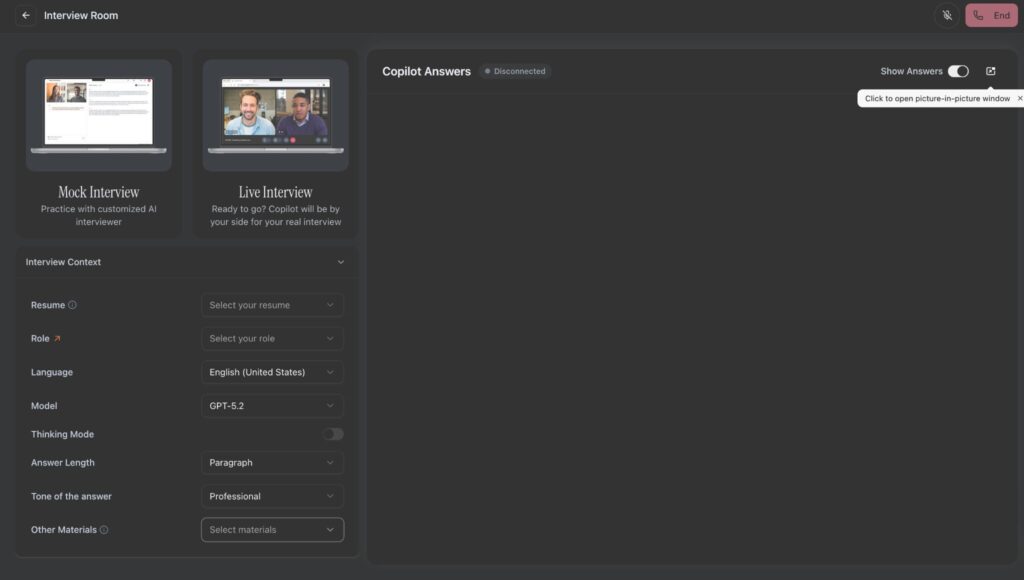
This is a feature most competing tools don’t expose to users. Depending on your plan, you can choose which AI model to generate answers from. The options range from GPT-4o mini and Claude Haiku on the lower tiers, up to GPT-5.1 and Claude Opus on the premium plan.
Step 6: Choose your response mode and launch
Before launching, you pick between two response modes:
- Auto Mode: The Copilot automatically sends every detected question to the AI and surfaces a suggestion.
- Smart Mode: The AI filters out filler and only responds to what it identifies as a real interview question.
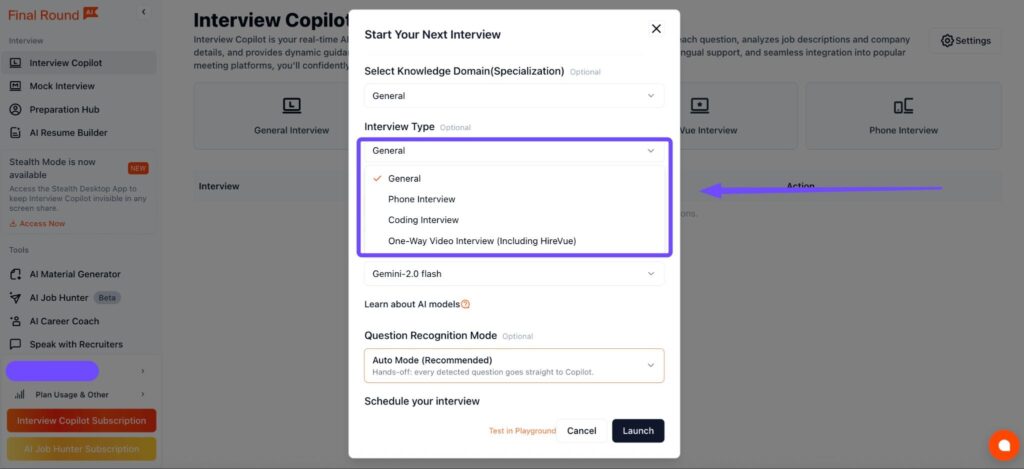
Smart Mode is the better default. Auto Mode can create noise, especially in casual conversation at the start of a call. Once you’ve selected a mode, you can either launch immediately or schedule the session for your actual interview time.
Step 7: Run the live session
During a live interview, the Copilot sits in a separate window alongside your video call. On the left side, you see a small preview of your interview screen; on the right, AI-generated answer suggestions appear as the interviewer speaks.
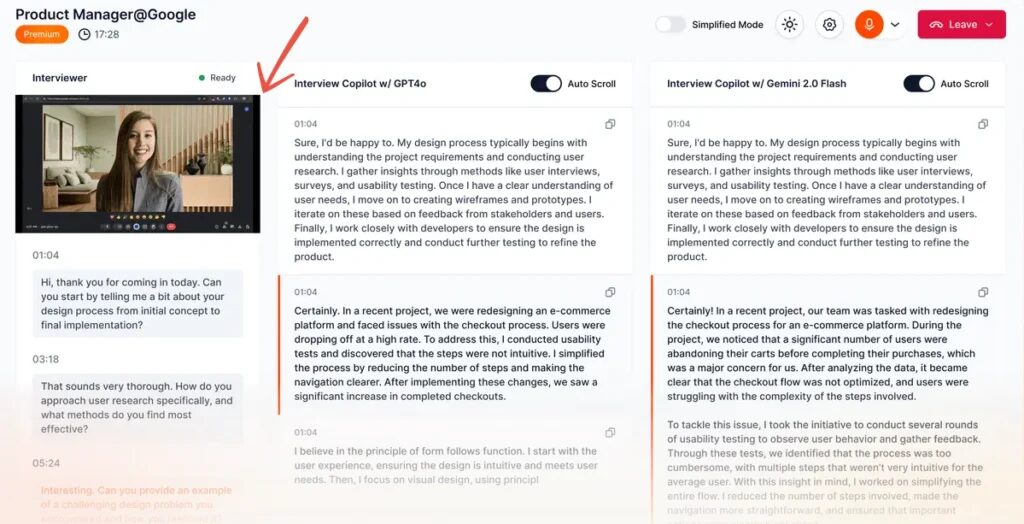
Response time is approximately 1 to 1.5 seconds, which is fast enough to be useful without forcing an unnatural pause.
The suggestions are structured, typically following a STAR-style format for behavioral questions. They’re grounded in your resume and the role context you set in Step 3. When that context is rich, the output feels tailored.
For Stealth Mode, the feature that keeps the app invisible during screen sharing, you’ll need to download the desktop app and be on the premium plan. The browser version does not include it.
Step 8: Review your post-session analytics
After each live or mock session, Final Round AI generates a performance report. It covers what questions were asked, how your answers were structured, where you hesitated, and what to sharpen before the next round.
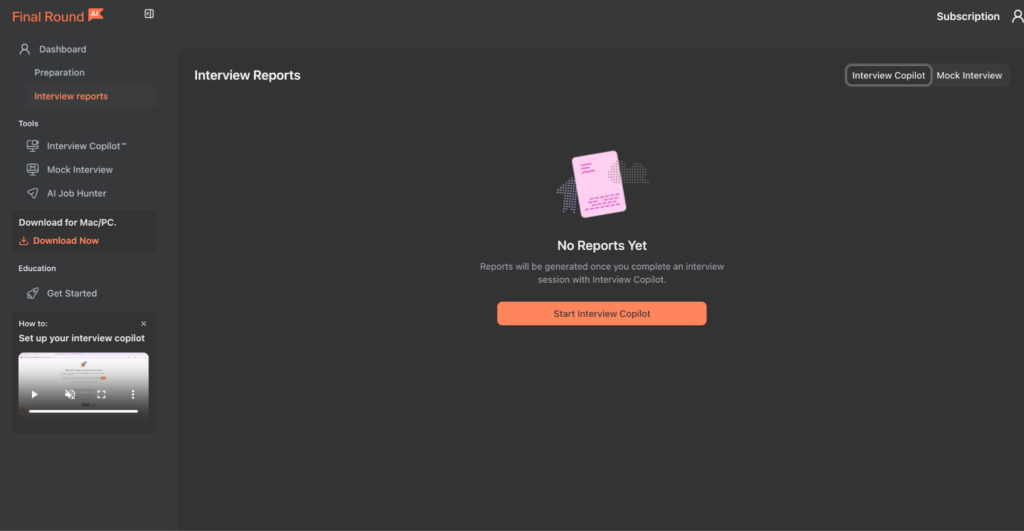
The analytics track both verbal content and delivery signals like tone and pacing.
Final Round AI
An interview assistant tool that helps you to prepare for and excel at interviews using AI mock interviews and a live interview copilot.
Final Round AI Pricing
Final Round AI has a simple pricing structure.
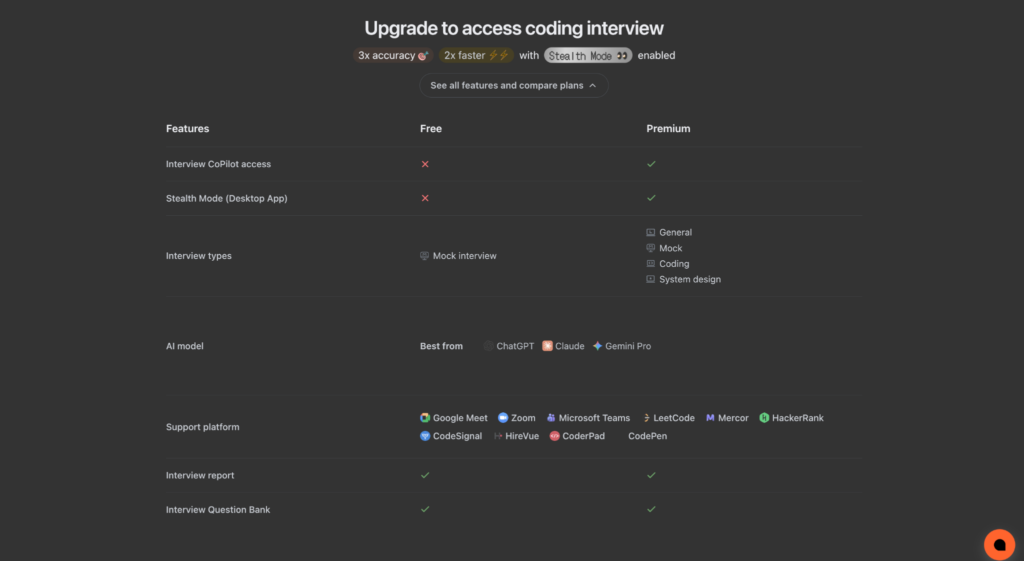
There’s a free plan that allows you to have unlimited mock interviews, interview reports, and interview question banks.
Final Round AI also offers a 3-day money-back guarantee.
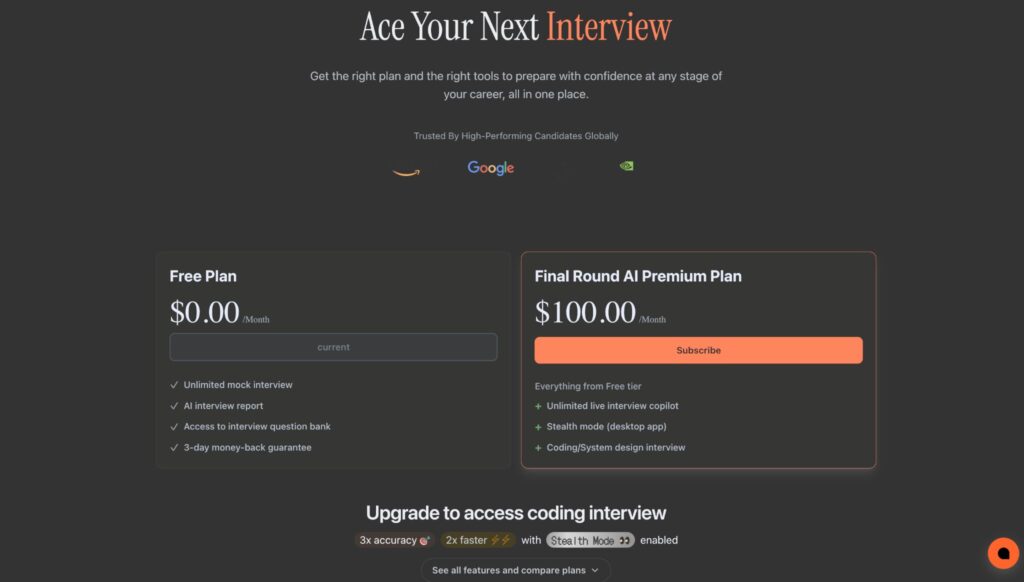
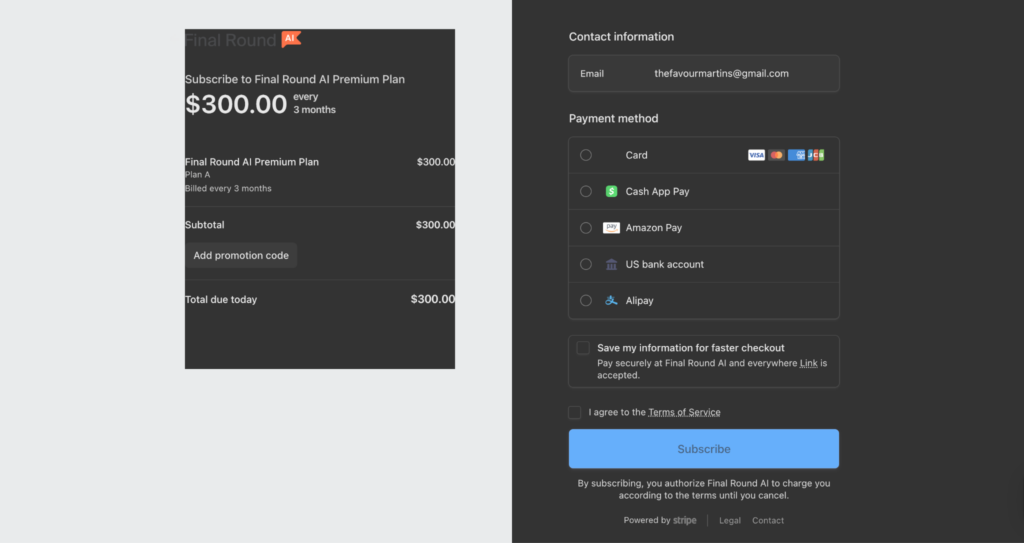
The paid/premium plan goes for $100 per month.
However, you’re only allowed to pay quarterly. So for a premium plan, you’ll have to pay $300 for three months.
The paid plan offers more value as it grants you unlimited access to all interview types and the two core features: interview copilot access and stealth mode.
What Are Users Saying About Final Round AI?
I checked for user reviews from Trustpilot, ProductHunt, and Reddit. The sentiment surrounding Final Round AI is both positive and negative.
As of April 20, 2026:
On Product Hunt (4.9/5), users rave about the confidence boost.
Trustpilot (3.5/5) and Reddit reveal more nuanced frustrations.
Positive Reviews
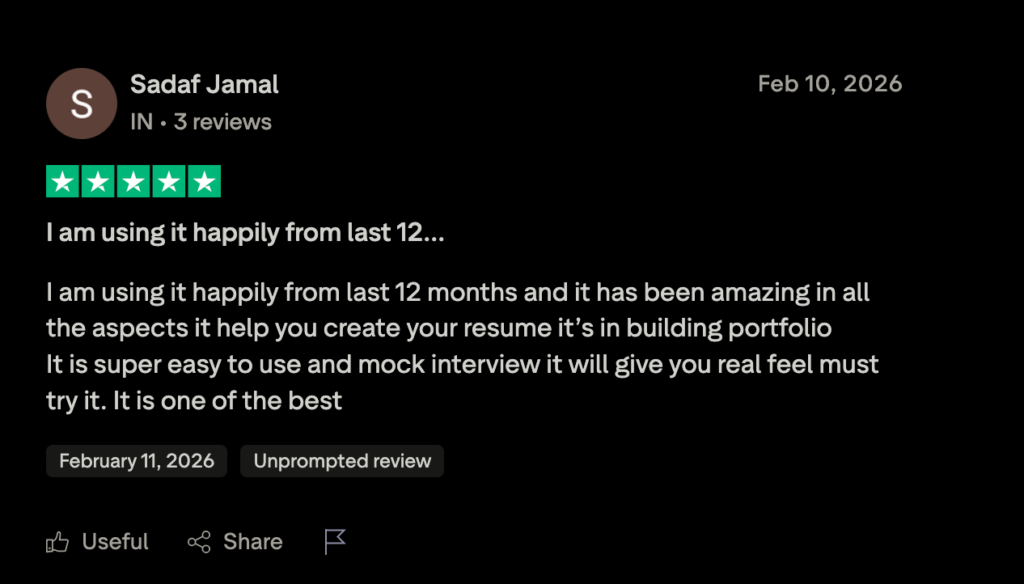
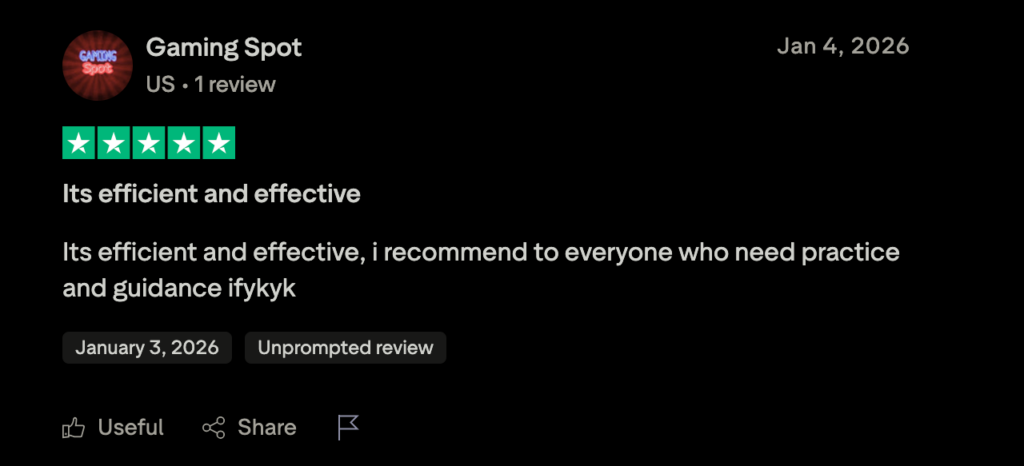
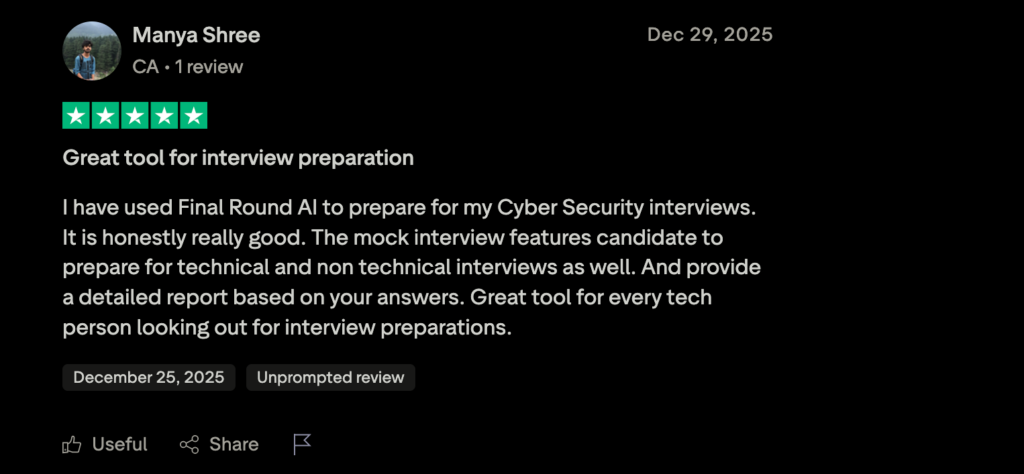
Positive reviews consistently point to the mock interview quality and the structure it brings to live responses. Many users also say that it serves as guidance to prepare for both technical and non-technical interviews with a real feel of the actual interview.
One user says it’s a “great tool for every tech person looking out for interview preparations.”
Critical Reviews
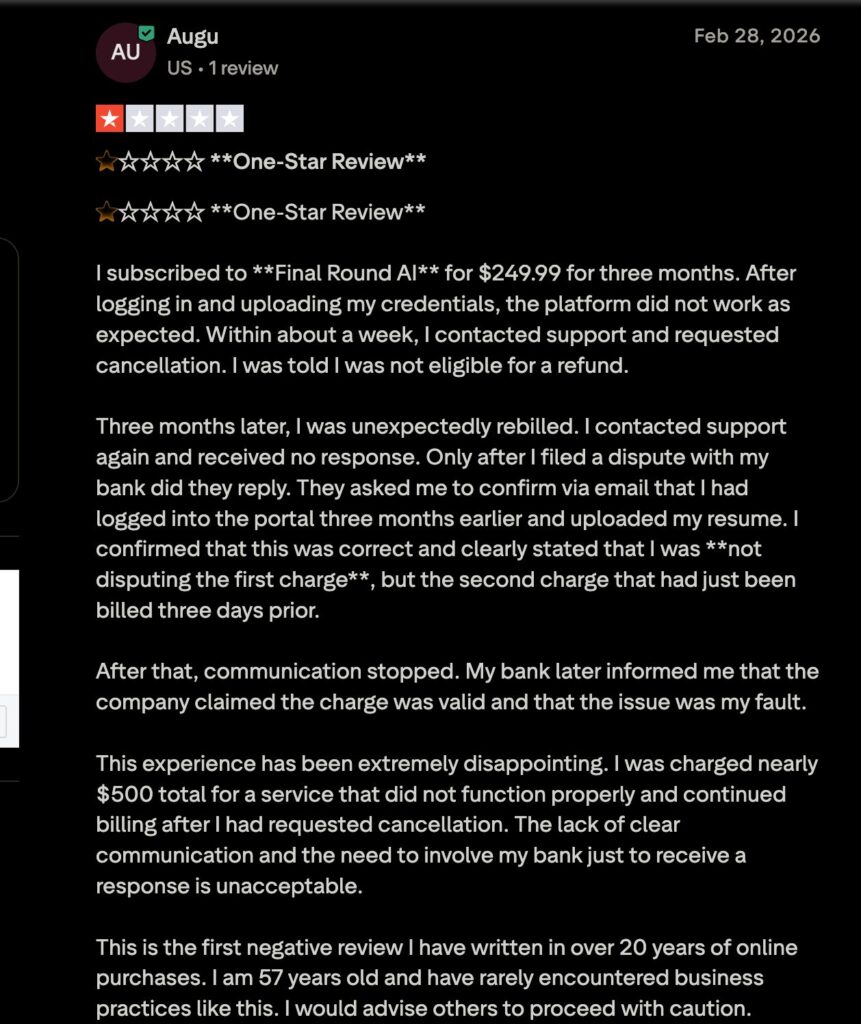
Some users, especially on Trustpilot, left one-star reviews with billing complaints and dissatisfaction with the quality of the AI. A few users mention high pricing, lag, limited control over response length, confusing charges, and subscription billing.
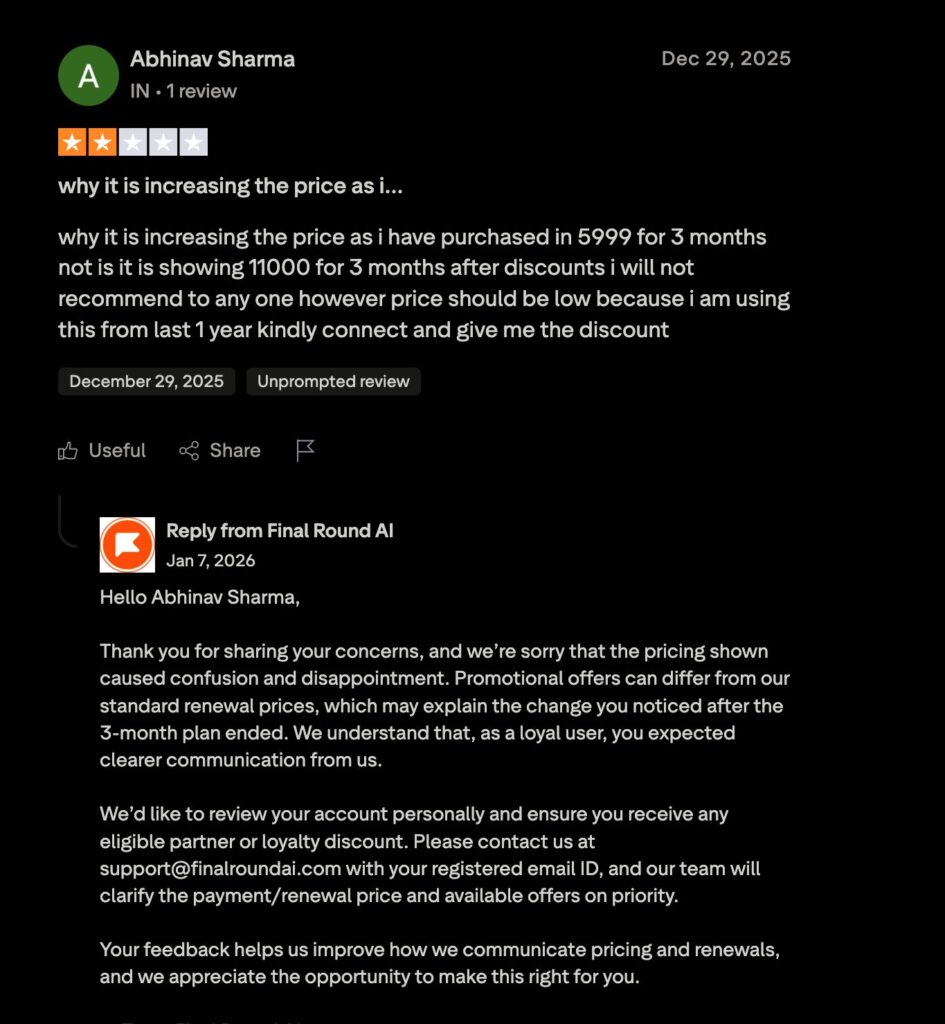
On Reddit, users have flagged bugs, an unstable interface, and instances where the AI misunderstood questions entirely. However, the Final Round AI team had responded to most of the negative reviews with support options and apologies for their negative experiences with the platform.
Who Is Final Round AI Best For?
The Perfect Candidate:
- Mid-to-Senior Professionals: Those applying for $100k+ roles where the stakes are high and “behavioral fit” is the primary hurdle.
- Non-Native English Speakers: It acts as a fantastic real-time translation and phrasing guide.
- Technical Candidates: Developers and data scientists who are required to do live coding assessments may find it inadequate.
Who Should Skip It:
- Early-Career/Entry-Level: The $300 quarterly price tag is a stretch for someone just starting.
- Not Yet Getting Interviews: If your struggle is landing interviews rather than passing them, your money is better spent on resume-polishing and application volume tools.
Final Round AI
An interview assistant tool that helps you to prepare for and excel at interviews using AI mock interviews and a live interview copilot.
Pros
Cons
Final Round AI Limitations
While Final Round AI sounds perfect in theory, on the practical side, the tool demands a solid setup.
It works best on Chrome, has had issues on other browsers, and if an AI suggestion arrives some seconds late, that delay can destabilize you mid-answer. With a slower connection, the live feature may not work well.
Also, the answers generated during live sessions can sound robotic and lack emotional depth. While this may be acceptable for technical questions, it falls short for questions that probe soft skills, problem-solving approach, or cultural fit. And the scripted answers may fall apart with follow-up.
There’s also the ethical part. Using a real-time AI assistant during a live interview can be considered a misrepresentation by recruiters and hiring managers.
The safer use case is using it for prep and to rehearse your structure. Finally, there’s never a more winning approach than walking into the actual interview as yourself.
Final Verdict
Final Round AI is a decent interview prep and live-assistance tool. The mock interview feature is your best bet. The feedback is useful, and the platform is well-designed for candidates who need to build confidence and structure before interviews.
The premium plan offers the most value, but committing $300 upfront requires some confidence in the purchase. If you’re in an active interview cycle for competitive, high-paying roles and your main challenge is structuring answers under pressure, Final Round AI is worth the trial.
Use the mock interview feature to internalize the STAR structure, and treat the live Copilot as a backup.
Frequently Asked Questions
Written By

Favour Martins
Favour Martins is a content and product marketer for B2B SaaS brands.
She loves the thrill of exploring new tools and telling beautiful stories. You’ll always find her on LinkedIn or Substack.