

Huru AI Interview Prep Review
A video-based AI interview practice tool that helps you improve how your on-camera delivery.
Key Features
Pricing: $24.99/month or $99/year
Free Trial: Yes
Real-time Assistance: No, Practice only
Best For: Professionals who want to improve their on-camera delivery
If you’re already getting interviews but not landing offers, the issue is usually not your knowledge or experience. Interview performance comes down to how clearly you communicate, how structured your answers are, and how confident you sound.
That’s the problem Huru is built to solve.
Instead of focusing on what to say, Huru focuses on how your answers come across in a real interview setting.
This review breaks down how Huru actually works, what it does well, where it falls short, and whether it’s worth using.
How Does Huru AI Work?
At a high level, Huru is built around a feedback loop:
Generate questions → Record your answer → Get scored → Improve → Repeat
That sounds simple, but the value comes from how each step is executed.
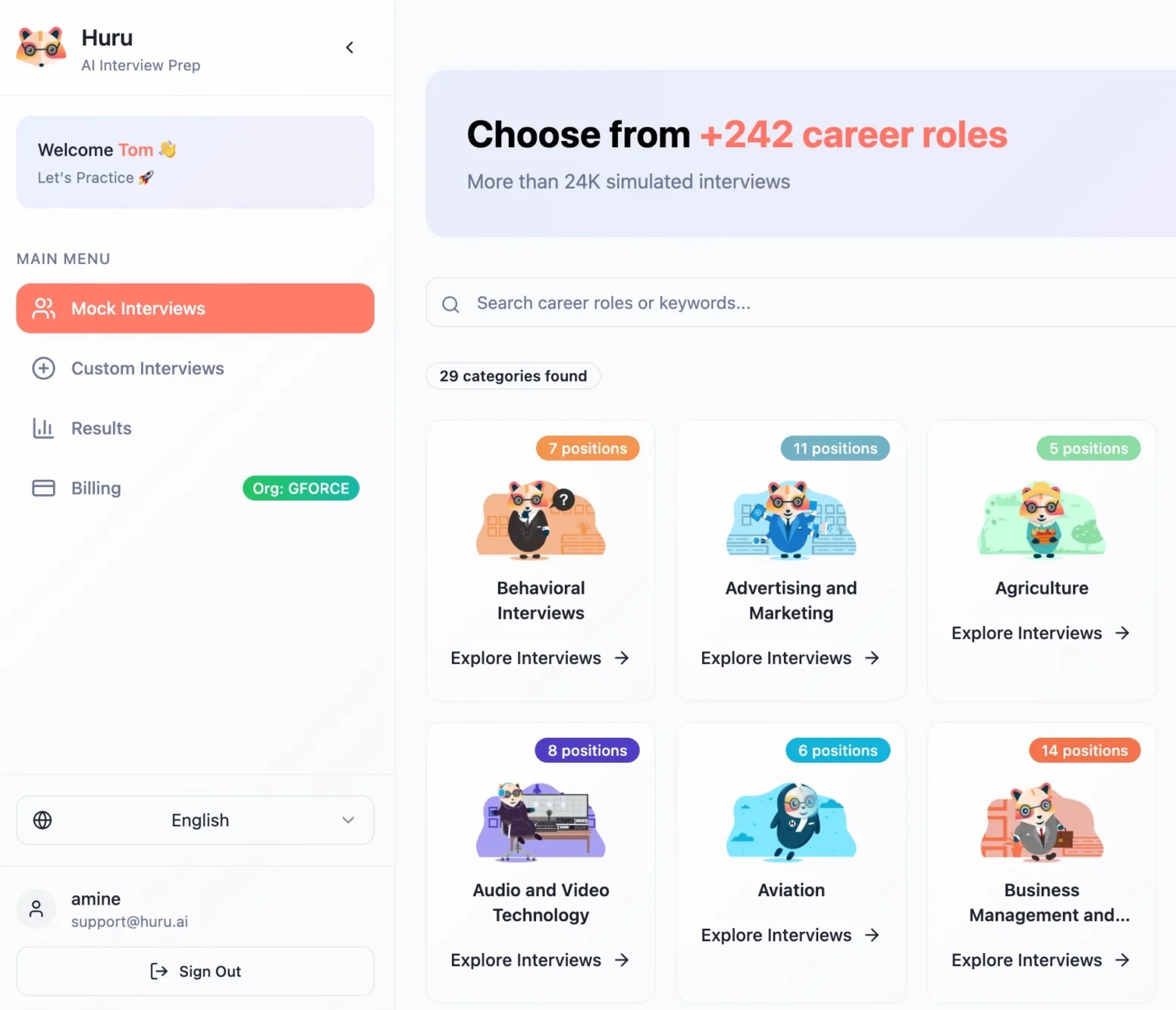
Setting up your interview
You can create a practice session in three main ways:
- Select a role-based question set
- Paste a job description
- Import a job post using the Chrome extension
The job-description flow is particularly useful. Instead of practicing generic questions, the tool attempts to generate questions based on the actual responsibilities of the role you’re targeting.
In practice, this helps you prepare for specific questions such as:
“How would you approach [X] task in this specific role?”
Recording your answers (The core experience)
Huru is built around video and audio responses, not written ones.
You answer questions out loud, as if you’re in a real interview. Then you watch yourself back.
This matters more than it sounds. Because a lot of times, experienced candidates know what to say. Instead, they struggle with the following:
- Losing their point mid-answer
- Sounding less confident than they feel
Seeing yourself on video makes those issues even more obvious. So, video practice can help.
Real-time guidance during practice
While you’re answering, Huru may provide subtle prompts such as:
- Pacing cues
- Reminders to include key points
- Nudges around answer structure
These are meant to simulate a coaching layer during practice. Unlike interview copilots, this assistance is NOT available during a real interview or actual video calls.
Some users benefit from the guidance. But it also comes with a tradeoff: Others may find it distracting.
Feedback and scoring
After each response, Huru generates a structured report across three main areas:
- Answer accuracy and relevance
- Speech and grammar (clarity, filler words)
- Confidence (tone, pacing, energy)
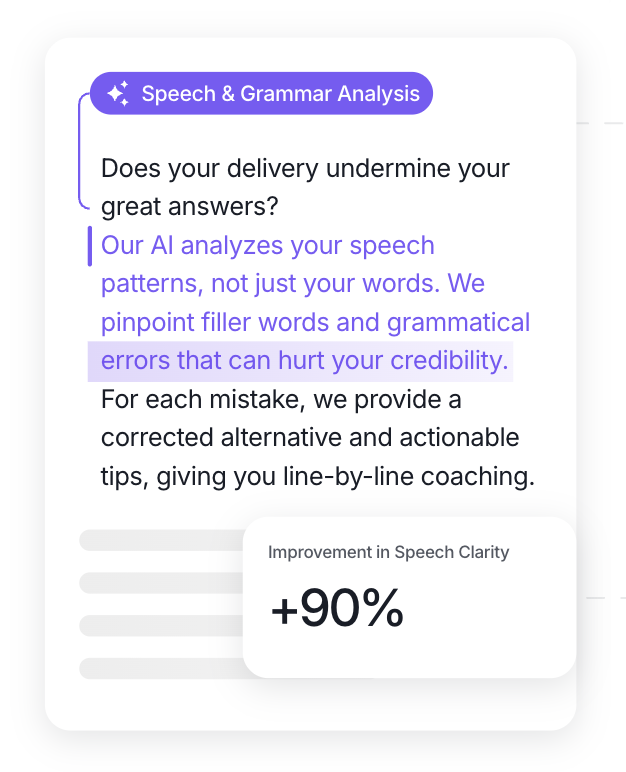
In the report, you’ll also find:
- Suggestions for improvement
- Restructured answers
- Example “strong” responses
Huru AI Pricing
Huru uses a subscription model:
- Starter: $24.99/month
- Growth: $99/year (approximately $8.25/month)
A free trial is available, which includes access to core features and at least one full feedback report.
Huru AI
A video-based AI interview practice tool that helps you improve how your on-camera delivery.
How to think about the cost
The pricing starts to makes sense the more you use the tool.
For example, if you only do one or two sessions, the tool might not be worth it for you. However, if you do 10 or more sessions, you’ll start to get tremendous value out of the tool.
This is a tool designed for repetition, not one-time use.
Cost per use (realistically)
If you practice consistently:
- 10 sessions/month → Approximately $2.50 per session
- 30 sessions/month → Less than $1 per session
At that point, the pricing becomes reasonable for what you’re getting.
Important detail: No refunds!
Huru has a strict no-refund policy after payment.
That makes the free trial important. It’s your only real chance to evaluate whether the tool is right for you before investing your money.
If you use the free trial, be sure to check whether Huru works reliably on your device.
What Are Users Saying About Huru AI?
User feedback is consistent: When it works, it’s useful — but reliability matters.
What users consistently like
1. Questions feel relevant to the role.
Users often mention that questions are tailored rather than generic.
2. Feedback is specific enough to act on.
Rather than vague advice, users highlight that feedback connects directly to their responses.
3. It helps build confidence through repetition.
This is one of the most consistent themes.
Practicing repeatedly — and seeing improvement — helps users feel more prepared going into real interviews.
Common complaints
1. Reliability issues
Some users report sessions not working properly or being unexpectedly interrupted.
2. App and extension friction
In the Chrome web store, users mention technical issues such as Chrome extension problems and confusion with integrating LinkedIn job postings.
3. Data/privacy confusion
Some users expressed uncertainty around deleting interviews and how data is handled long-term.
Overall takeaway
Huru is a strong concept with promising results. It’s useful when it functions properly. When it does have technical issues, those issue get in the way of successful interview preparation.
Who Is Huru Best For?
Huru is most effective for a specific type of user.
Top three best fits:
1. Professionals who struggle with delivery
If your issue is: rambling, unclear answers, or losing your point mid-story, Huru directly targets that.
2. Candidates preparing for video interviews will especially benefit from Huru.
Huru works well for preparing for recorded interviews (HireVue-style) and early-stage screenings
3. People willing to practice consistently
The value comes from repetition. One or two sessions won’t move the needle as much as ten will.
Not a strong fit:
- Users who want a one-time prep solution
- People looking for live interview assistance
- Candidates needing deep technical evaluation
Pros
Cons
Huru AI
A video-based AI interview practice tool that helps you improve how your on-camera delivery.
Huru AI Limitations
Huru is effective within a defined scope, but it does not solve everything that goes into interview success.
Discernment
First, there are limitations to its ability to discern the best answers. It can help you structure answers and communicate more clearly, but it cannot teach you how to think through complex questions or improvise in real time.
Huru may also struggle to connect your experience to a company’s specific needs. Those skills still need to be developed separately.
Overly standardized
Second, the feedback system can create a tendency toward standardization. When multiple users optimize toward similar “ideal” answers, responses can start to sound generic.
That may work in early rounds, but it becomes a disadvantage in later interviews where uniqueness matters more.
Reliability
There is also a reliability consideration. Even if the issues are not universal, some users have reported broken and inconsistent sessions. If someone is practicing right before an interview, reliability becomes a crucial part of the product’s value.
Finally, Huru is clearly a practice tool, not a live copilot. It does not assist during actual interviews.
Final Verdict
Huru is a strong tool for improving how your answers come across — especially if your challenge is mainly on-camera delivery and structuring your answers.
It works best when used consistently. The feedback loop (practice, review, improve) can lead to noticeable gains over time.
However, it is not a complete interview prep solution. It simulates real interview experience but doesn’t fully replace it. And reliability concerns make it worth testing thoroughly on your device before committing.
Overall, it’s worth using if you’re willing to practice repeatedly.
It might not be worth it if you plan to use it only once or twice.
Want to compare other interview prep tools before deciding? Check out our list of the best AI interview prep tools to find one that suits your needs.
Frequently Asked Questions
Written By

Aliyyah Camp
Aliyyah Camp is the creator of The Offer Inbox. Bringing over a decade of professional experience in marketing, Aliyyah now helps professionals secure meaningful roles and build fulfilling careers.