

AIApply Automated Job Applications Review
An AI job application platform that helps users create tailored resumes and cover letters, prepare for interviews, and apply for jobs automatically.
Key Features
Pricing:
- Starter Plan: $16 per week, and $74 per month for 100 jobs monthly
- Pro Plan: $33 per week, and $99 per month for 250 jobs monthly
- Pro+ Plan: $21 per week, and $299 every 3 months for 250 jobs monthly
Free Trial: No free trial for the auto-apply feature
Automation Level: It can fully submit applications on your behalf after setup. Users must provide detailed preferences when setting up an account. It also allows you to review job matches before submitting applications if you prefer.
Best For: Students, recent graduates, entry-level to mid-level professionals, and career switchers
The job market has gotten quite competitive, so to land a role, you need to stand out from other applicants. This means creating strong resumes, writing tailored cover letters, and managing multiple job applications.
For a fresh graduate, career switcher, or someone seeking better opportunities, doing it all on your own can quickly become overwhelming.
This problem is what AIApply is designed to solve. It’s an AI job search platform that automates job applications, helps you create resumes and cover letters, and can even provide live guidance during interviews.
How Does AIApply Work?
In order to provide an accurate review, we had to sign up to know how the auto-apply feature works.
The entire process took about 10 minutes, and it felt quite tedious, even though the questions themselves were easy to answer.
So, if you’re looking for a platform with a quick sign-up process, AIApply may not be the best fit.
Below is a step-by-step process on how AIApply’s auto-apply works:
Choose Your Preferred Feature
Step 1: Visit AIApply’s official website and click “Start now.”
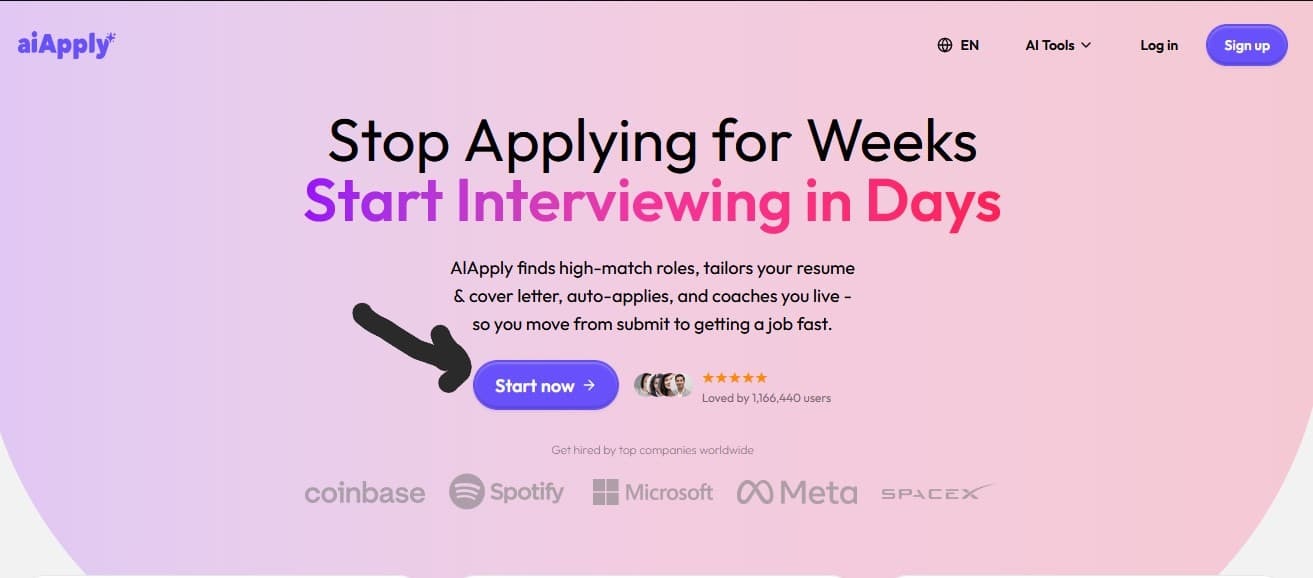
You will be directed to a page where you choose the feature you want to use.
Step 2: Select the most popular option, “Apply to jobs automatically.” Then select “Continue.”

Add Your Job Details
Step 3: Next, describe your current employment status by selecting the option that fits you best.

From the employment status available, it shows that AIApply supports users at every stage of their career, including people who have never been employed.
Step 4: A pop-up message will appear; click on “Continue.”

Step 5: Then type your desired title and click “Continue.”
For this step, you can input multiple job titles, and AIApply also suggests roles to improve your matches.
Step 6: Next, add your experience level for the role.

At this point, we realized that entering different roles earlier may not be ideal. This is because you can only select one experience level, and it has to match a single role.
So even if you have different experience levels across multiple roles, there is no way to separate or differentiate them.
Step 7: After selecting your experience level, a short note will appear. You can read it and click “Continue.”
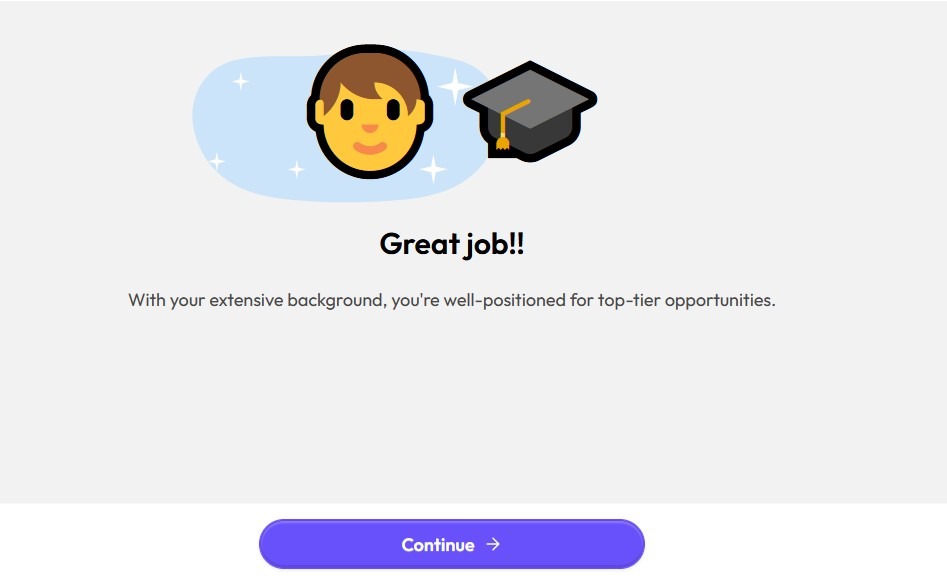
Add Your Preferences
Step 8: Next, adjust the slider to set your preferred yearly salary and click “Continue.”
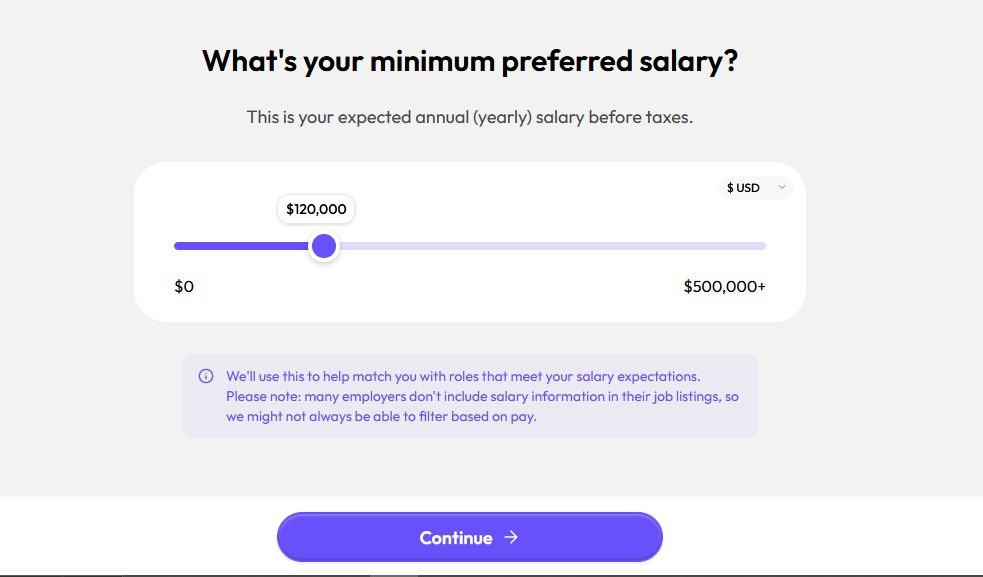
For this step, we advise you to research salary ranges for your role and experience level before choosing.
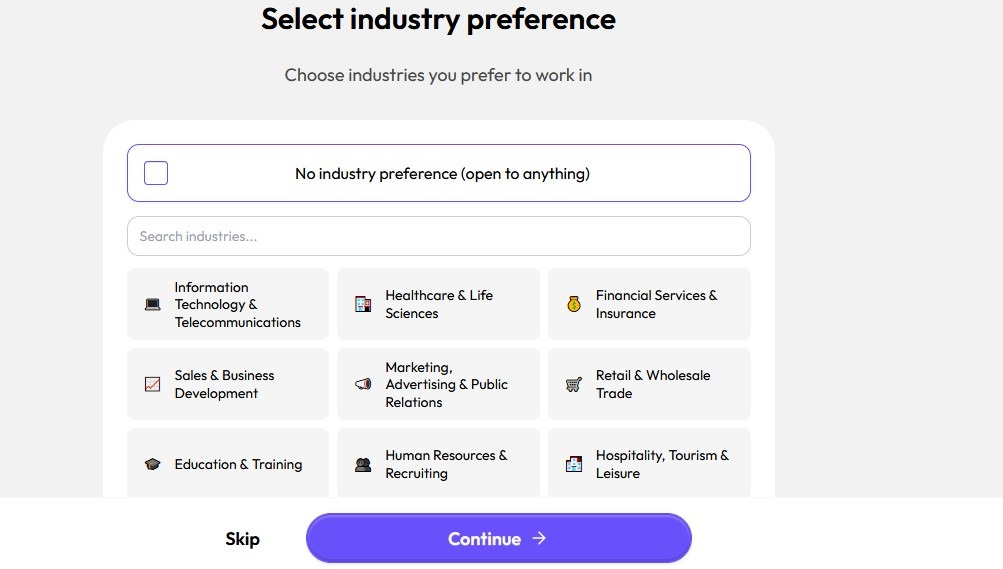
Step 9: Next, select your industry preference and click “Continue.” You can choose multiple industries depending on your job role and career direction.
Choose Your Work Model
Step 10: Select your preferred work model and click “Continue.”
Step 11: Next, choose your available start date, then click “Continue.”
Step 12: You’ll need to choose whether you are open to relocation.

Step 13: Then select your preferred work arrangement (remote, onsite, or hybrid), and click “Continue.”
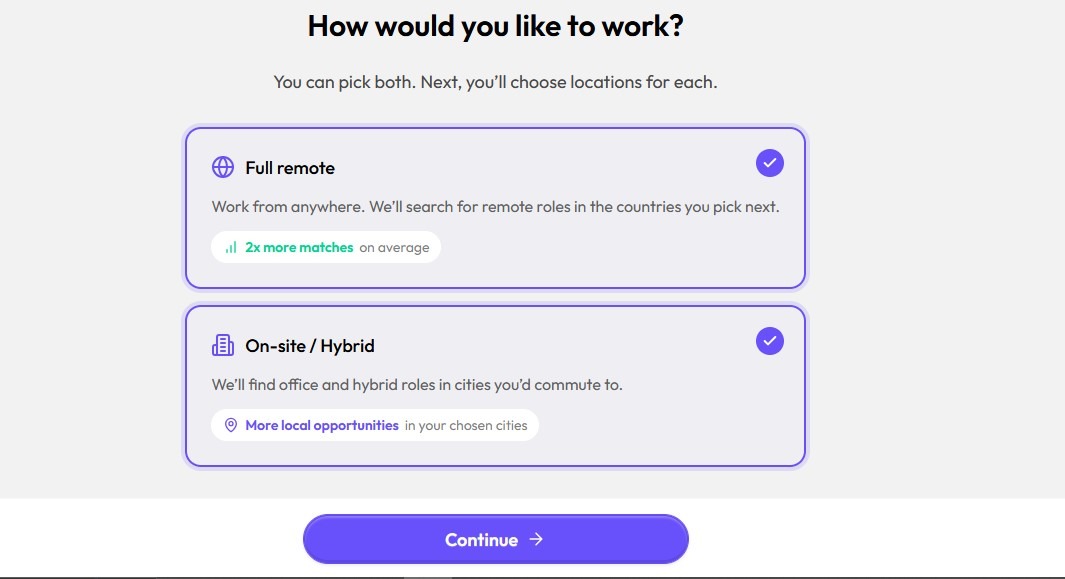
We found this stage interesting because, unlike LoopCV where you can only select one job model at a time, AIApply allows you to choose multiple work models.
This is a big plus because it gives you more flexibility and increases the range of job opportunities you can access.
Step 14: Select the country you want for remote roles.
Step 15: Then enter the cities you prefer for onsite roles. You can add multiple cities to widen your job search. Once you’re done, click “Continue.”

Step 16: Go ahead and select your work authorization status.
Add Personal Details
After you select your authorization, AIApply analyzes your data and preferences.
Step 17: Once the platform is done analyzing, you’ll be asked whether you have a driver’s license. Go ahead and select your answer.

Select how you identify.

Step 18: Once you do that, a short note explaining why this information is required will appear. You can read it and click “Continue.”

Step 19: Next, answer whether you have any health condition that limits your activities.
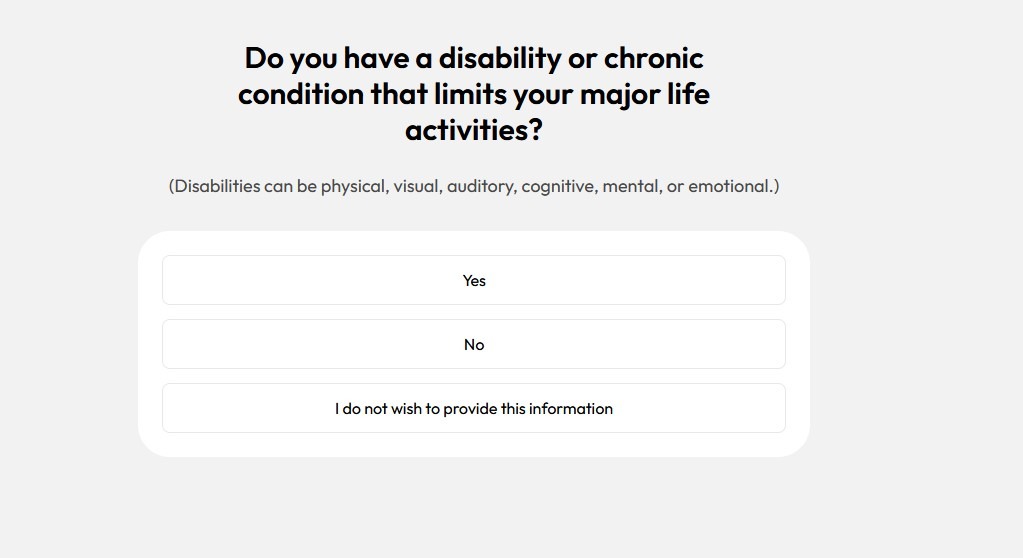
Step 20: Indicate if you’re a veteran or not.

Step 21: Select whether you have an active US security clearance.

Step 22: To continue, you’ll be required to either use Google or manually fill in your email address. If you’re filling manually, click “Continue” once you’re done.

Step 23: After that, a testimonial page will appear. You can read it, then click “Continue.”
Choose Your Plan
Step 24: At this point, you must choose a paid plan before proceeding further. Select the plan that best suits you, then click ” Get my plan.”
This was a disappointing stage because the full setup process had already been completed before discovering payment was required.
So, if you’re looking for an AI job application tool with a free trial, AIApply doesn’t offer one.
That is where LoopCV stands out as an excellent alternative with a free trial.

LoopCV
Job search automation plans, with paid options from $19.99/month and flexible auto-apply or one-click review workflows.
Post-Payment
Step 25: Upload your initial resume (PDF or Word) or import it from LinkedIn.
Note that the stronger and more detailed your master resume is, the better the AI performs when customizing applications.
However, if you don’t have one, you can use AIApply’s Resume Builder to generate one.
Step 26: Once your resume is uploaded, AIApply analyzes your experience, skills, and the preferences you entered earlier.
You may be asked to review or make small adjustments to ensure everything is accurate before scanning begins.
Step 27: Next, select your preferred application style in the settings. Then AIApply will start scanning major job boards for roles that match your criteria.
How AIApply Helps You Find Jobs
AIApply uses your job preferences, personal details, and resume to scan major job boards like Indeed, LinkedIn, and others for matching job opportunities.
With the platforms’ targeted scanning, you can access relevant openings effectively. That means you no longer have to browse through thousands of listings manually.
How AIApply Helps You Apply to Jobs
After AIApply finds suitable job openings, the platform tailors your resume and cover letter to match each job description. Then it submits the applications on your behalf.
Once applications are submitted, AIApply displays them on a dashboard where you can track your application activity and monitor the status of each submission easily.
According to users, the auto-application process for each job can take less than five seconds. In addition to full automation, AIApply also gives you some level of control over the application process.
What the Applications Actually Look Like
AIApply attempts to create personalized resumes and cover letters for each application. The platform does this by analyzing the job description and adjusting your base resume with relevant keywords for ATS compatibility.
Despite the attempt to tailor each application, some outputs can still feel generic, overly keyword-stuffed, or contain minor inaccuracies, especially if your original resume lacks detail.
For tech roles — such as IT or cybersecurity — users strongly advised editing the generated content before submission. That’s because professionals can often spot AI-generated content.
Automation Style
When it comes to AIApply’s automation style, you are given three options to choose from in the auto-apply settings:
- Review AI Matches: AIApply allows you to review all job listings and only applies to the ones you’ve manually approved.
- Hybrid Apply: This option lets AIApply automatically submit applications to top matches and lets you review the other listings before submission.
- Auto Apply: This option lets AIApply automatically submit to jobs without your prior input on each individual application.
An active user recommends using the Review AI Matches option because the platform suggested roles they weren’t interested in.
He also reported that generated cover letters occasionally included inaccurate information such as overstating experience. This happened for roles he had no direct prior background in.
Based on user reports, it looks like AIApply’s Auto Apply feature might still have some personalization bugs to work out. For now, users recommend defaulting to the Review AI Matches option.
Pricing
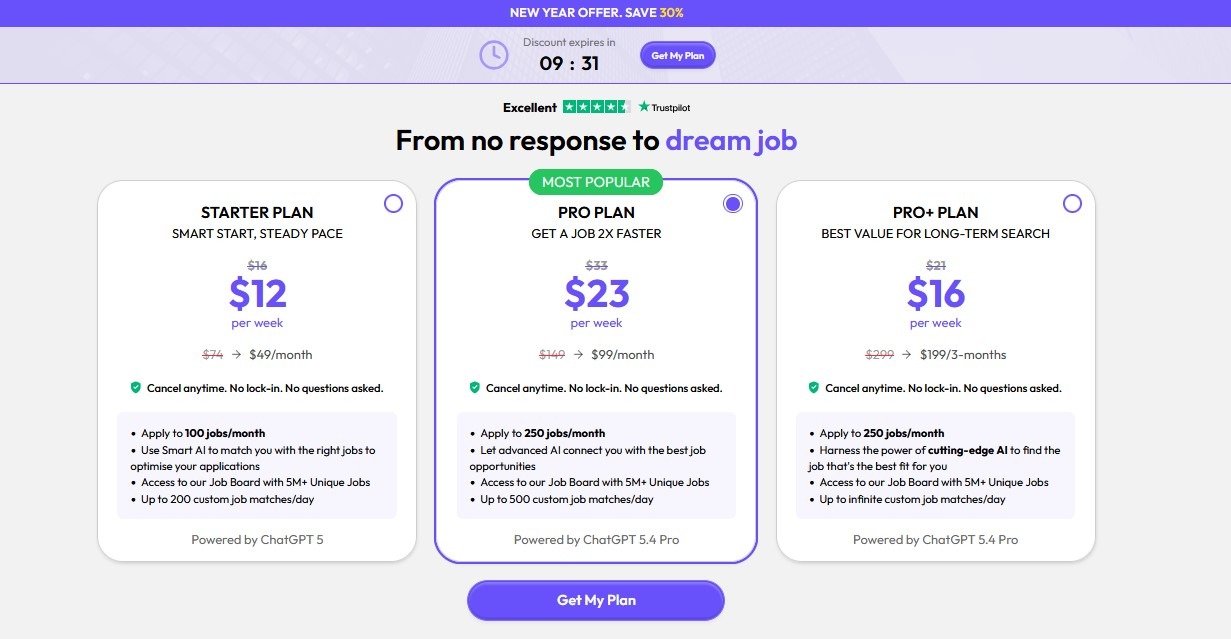
AIApply uses a hybrid pricing model that combines a base subscription for core AI tools. For the auto-apply feature, the pricing plans available are:
- Starter Plan
- Pro Plan
- Pro+ Plan
Currently, AIApply is offering a discount to users. The platform also offers a 40% discount on premium features for students and recent graduates.
All you have to do is verify using your student email. This pricing structure works well for users who want to apply to multiple roles each month and save time on tailoring and submitting applications.
However, the cost can feel high if you are a low-volume or selective applicant, as you may not fully utilize the amount you pay for.
What Are Users Saying About AIApply?
Based on reviews primarily from Trustpilot (where AIApply holds an average of 4.1/5 from 1,000+ reviews as of May 2026), feedback is mixed.
Five-star reviews tend to praise time-saving features, while the negative reviews are unhappy about customer support responsiveness among other administrative things.
Here is what users are saying:
Positive Reviews
Users love that the tool handles tailoring and submitting applications quickly. Several users also reported that the customized resumes and cover letters helped their applications pass initial screens and land interviews.
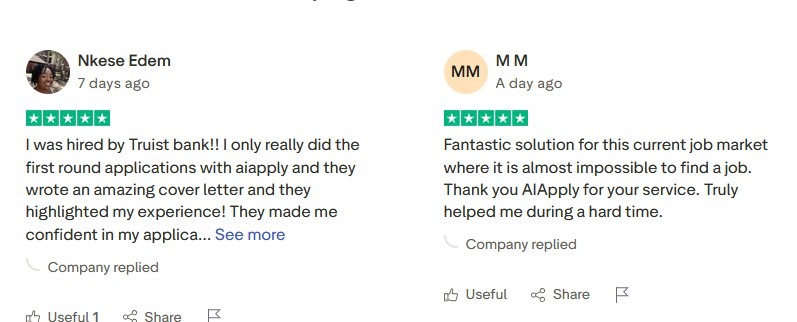
Common Complaints
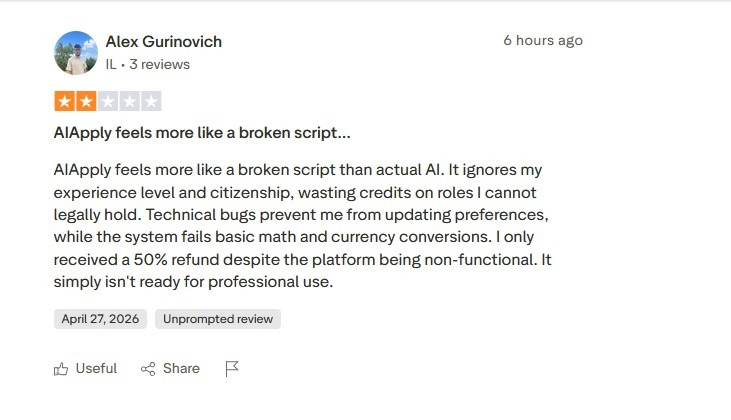
On the other hand many users complained they were charged without clear understanding of the plan or found it hard to cancel.
Multiple reviews also mention slow or non-existent customer support when problems arise, especially with refunds.
Who Is AIApply Best For?
AIApply is best for individuals in tech, healthcare, financial services, sales, retail, marketing, and hospitality who are in the early stages of their careers.
The platform is also best for individuals seeking better opportunities or looking to make a career switch. So, if you’re in the early stages of your career or plan to perform broad searches rather than highly targeted applications, then AIApply is for you.
In terms of application style, AIApply is designed for high-volume applications, typically 100–250 jobs per month. Overall, AIApply is a strong match if you’re looking for an all-in-one tool to handle the job search and application process.
Pros
Cons
AIApply Limitations
AIApply doesn’t guarantee a high number of interviews or even landing a job — no true automated job application tool can. Getting called for an interview highly depends on many factors including your qualifications.
The platform is limited in deep personalization, if you’re applying for senior or executive roles.
The major complaints users have about AIApply are that their pricing structure isn’t transparent, their customer support isn’t very active, and it’s difficult to get refunds.
Final Verdict
If you’re an entry-high-level job seeker in the early stage of your application in the industries we mentioned earlier, then AIApply might be for you.
You can also use the platform if you’re transitioning careers or running broad searches. AIApply is worth using to submit a high-volume of job applications, especially if you’re not bothered about the potentially mixed quality of the applications.
If you’re looking for more senior-level precision or fully transparent costs upfront, you may want to explore other automated job application tools.
Frequently Asked Questions
Written By

Sifon Philip
Sifon Philip is a SaaS, tech, and personal finance content writer.
Outside of work, she enjoys reading content from her favorite writers and watching C-dramas and K-dramas.